From WSL to Azure: A Full Infrastructure Deployment, VPN & SIEM Pipeline in One Day
Provision an Azure environment, deploy VPN connectivity, and build a complete SIEM pipeline from a Windows machine using WSL2 and Terraform.

Modern security operations don't live in one place. Your network logs live in your router. Your endpoint telemetry is in your EDR. Your cloud infrastructure resides in Azure. Stitching all of that into a single, alertable, queryable SIEM while keeping the entire workflow reproducible is what separates a reactive IT team from a proactive security operation.
This post walks through exactly how we tackled that for a client environment: end-to-end, from a Windows laptop running WSL2 to a production-ready Azure SIEM pipeline. One day. No manual clicks. No drift.
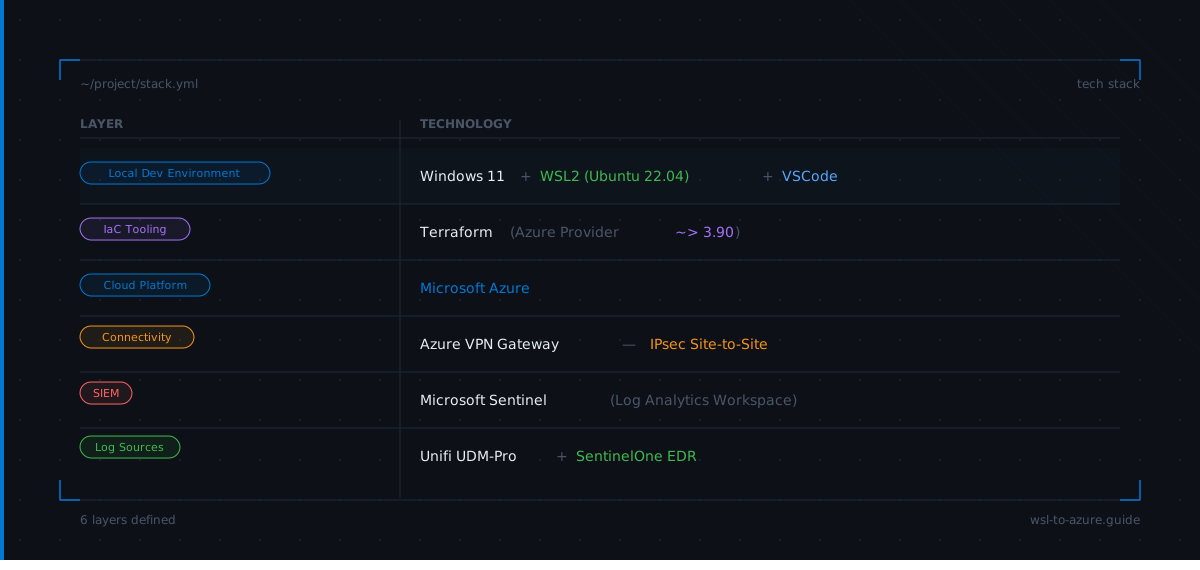
The Stack
 LAYER                    TECHNOLOGY
 ─────────────────────────────────────────────────────────────
 Local Dev Environment    Windows 11 + WSL2 (Ubuntu 22.04) + VSCode
 IaC Tooling              Terraform (Azure Provider ~> 3.90)
 Cloud Platform           Microsoft Azure
 Connectivity             Azure VPN Gateway, IPsec Site-to-Site
 SIEM                     Microsoft Sentinel (Log Analytics Workspace)
 Log Sources              Unifi UDM-Pro + SentinelOne EDR
Part 1: WSL2 + VSCode
Everything starts local. Using WSL2 on a Windows workstation gives you a full Linux environment without needing a separate jumpbox. The Terraform project lives inside the WSL2 filesystem and opens in VSCode using the Remote-WSL extension.
# PowerShell (Administrator)
wsl --install -d Ubuntu-22.04
wsl --set-default-version 2
wsl -l -v   # confirm VERSION 2
Tune WSL memory limits so Terraform doesn't overrun the host:
# C:\Users\YourName\.wslconfig
[wsl2]
memory=6GB
processors=4
swap=2GB
localhostForwarding=true
Install Terraform inside WSL:
wget -O- https://apt.releases.hashicorp.com/gpg | \
  gpg --dearmor | \
  sudo tee /usr/share/keyrings/hashicorp-archive-keyring.gpg > /dev/null

echo "deb [signed-by=/usr/share/keyrings/hashicorp-archive-keyring.gpg] \
  https://apt.releases.hashicorp.com $(lsb_release -cs) main" | \
  sudo tee /etc/apt/sources.list.d/hashicorp.list

sudo apt update && sudo apt install terraform -y
terraform version
Authenticate to Azure:
curl -sL https://aka.ms/InstallAzureCLIDeb | sudo bash
az login
az account set --subscription "<your-subscription-id>"
Part 2: Terraform: Deploying the Azure Foundation
A single terraform apply builds the entire environment. No console. No clicking through wizards.
The project structure is intentionally flat:
sentinel-syslog/
├── cloud-init.yaml
├── main.tf
├── outputs.tf
├── variables.tf
└── terraform.tfvars
terraform.tfvars is gitignored. Secrets and environment-specific values never touch the repository.
terraform init
terraform plan -out=tfplan
terraform apply tfplan
After apply, the resource group contains the VNet and subnets, the NSG, a NIC, the log forwarder VM, the Log Analytics workspace, the Sentinel solution, and the Data Collection Rule. Everything tagged ManagedBy = Terraform.
Part 3: VPN Gateway
The VPN connects the on-prem Unifi environment to Azure over an encrypted IPsec tunnel. All syslog and CEF traffic flows privately with no public exposure of the log forwarder.
Terraform provisions the full tunnel stack: a Standard SKU public IP, a VpnGw1 route-based gateway, a local network gateway representing the on-prem side, and the IPsec connection with a shared key.
Note: Azure VPN Gateway provisioning takes 25 to 45 minutes. Plan around it.
On the Unifi side, configure the site-to-site VPN under Settings > VPN > Site-to-Site VPN:
- IKEv1
- AES-128 / SHA1
- DH Group 14
- PFS enabled
- Remote IP = Azure VPN Gateway public IP (from Terraform output)
Once the tunnel is up, all traffic between the on-prem subnet and the Azure VNet flows over IPsec. The log forwarder VM is reachable by private IP only.
Part 4: Log Forwarder VM
The vm-syslog VM runs inside the workloads subnet. SSH happens over the VPN with no public IP required and no bastion host needed. The tunnel is the access path.
Cloud-init handles the bootstrap on first boot. It installs rsyslog and the OMS agent, then configures rsyslog to receive:
- Unifi syslog on port 25224
- SentinelOne CEF on port 25226
The OMS agent picks up both streams and forwards them into the Log Analytics workspace. No additional configuration needed after terraform apply.
Part 5: Microsoft Sentinel
With both log sources flowing into the Log Analytics workspace, Sentinel becomes the unified view for queries, correlation, detection, and alerting.
Validate each source is ingesting before building any detection rules.
Unifi syslog:
Syslog
| where ProcessName contains "unifi"
| project TimeGenerated, Computer, ProcessName, SyslogMessage
| order by TimeGenerated desc
| take 20
SentinelOne CEF:
CommonSecurityLog
| where DeviceVendor == "SentinelOne"
| summarize EventCount = count() by Activity, bin(TimeGenerated, 1h)
Once both sources confirm healthy, join them to see the full picture:
union Syslog, CommonSecurityLog
| summarize Events = count() by Type, bin(TimeGenerated, 1h)
| render timechart
That last query is the payoff. Network telemetry and endpoint detections on the same timeline, in the same query language, answerable with a single KQL expression.
Architecture
Here is how all the pieces connect:
Windows (WSL2)
      |
      | terraform apply
      v
   Azure
   +-----------------------------------------+
   | Resource Group                          |
   |  VNet 10.0.0.0/16                       |
   |  +-- GatewaySubnet  10.0.255.0/27       |
   |  |     +-- VPN Gateway (VpnGw1)         |
   |  +-- WorkloadsSubnet 10.0.1.0/24        |
   |        +-- vm-syslog (no public IP)     |
   |              +-- rsyslog :25224         |
   |              +-- rsyslog :25226         |
   |              +-- OMS Agent              |
   |                    |                    |
   |             Log Analytics Workspace     |
   |                    |                    |
   |           Microsoft Sentinel            |
   +-----------------------------------------+
         ^                    ^
         | IPsec tunnel       | CEF / Syslog
         |                    |
   Unifi UDM-Pro         SentinelOne EDR
   (on-prem)             (endpoints)
The VPN gateway is the only resource with a public IP. The log forwarder is fully private. On-prem traffic enters the Azure VNet through the IPsec tunnel and never traverses the public internet.
Debugging Notes
A few things worth documenting if you run into issues.
VPN tunnel stuck in "Connecting". The most common cause is a mismatch between the IKE parameters on the Unifi side and what Terraform provisioned on the Azure side. Double-check IKE version, encryption algorithm, hash algorithm, and DH group. Azure VpnGw1 defaults to IKEv2 unless explicitly configured otherwise. Unifi site-to-site historically works more reliably against Azure on IKEv1.
OMS agent not forwarding logs. If the workspace is healthy but no data appears in Syslog or CommonSecurityLog, check that the DCR (Data Collection Rule) is associated with the VM. Terraform creates the DCR and the association but the association can occasionally fail silently on first apply. Run terraform apply a second time. It is idempotent.
CEF logs appearing in Syslog table instead of CommonSecurityLog. The OMS agent parses CEF based on the syslog facility. SentinelOne must be configured to send CEF-formatted events on the correct port (25226). If the format is plain syslog, they land in the wrong table and vendor-specific fields are lost.
az login failing inside WSL. If the browser doesn't open automatically from WSL, add --use-device-code to the login command and authenticate via browser on the Windows side.
What Is Next
The shared key for the IPsec connection is currently in terraform.tfvars and gitignored. The right long-term approach is storing it in Azure Key Vault and pulling it as a data source at plan time. That closes the last gap where a secret lives on disk rather than in a managed secrets store.
Sentinel analytics rules are not in Terraform yet. Onboarding the workspace and enabling the data connectors is automated, but the actual detection logic is still manual. The Sentinel REST API supports full rule management, and the Terraform AzureRM provider has azurerm_sentinel_alert_rule_scheduled resources. That is the next iteration.
For now: on-prem network telemetry and endpoint detections flow privately into Microsoft Sentinel over an encrypted tunnel, the entire infrastructure is committed to Git, and a single terraform apply reproduces the environment from scratch.
If it is not in Terraform, it does not exist.
Built by Jonathan. If it is not in Terraform, it does not exist.
Need help with your security posture?
Let's talk about how SaberGuard can protect your business.
Get in Touch