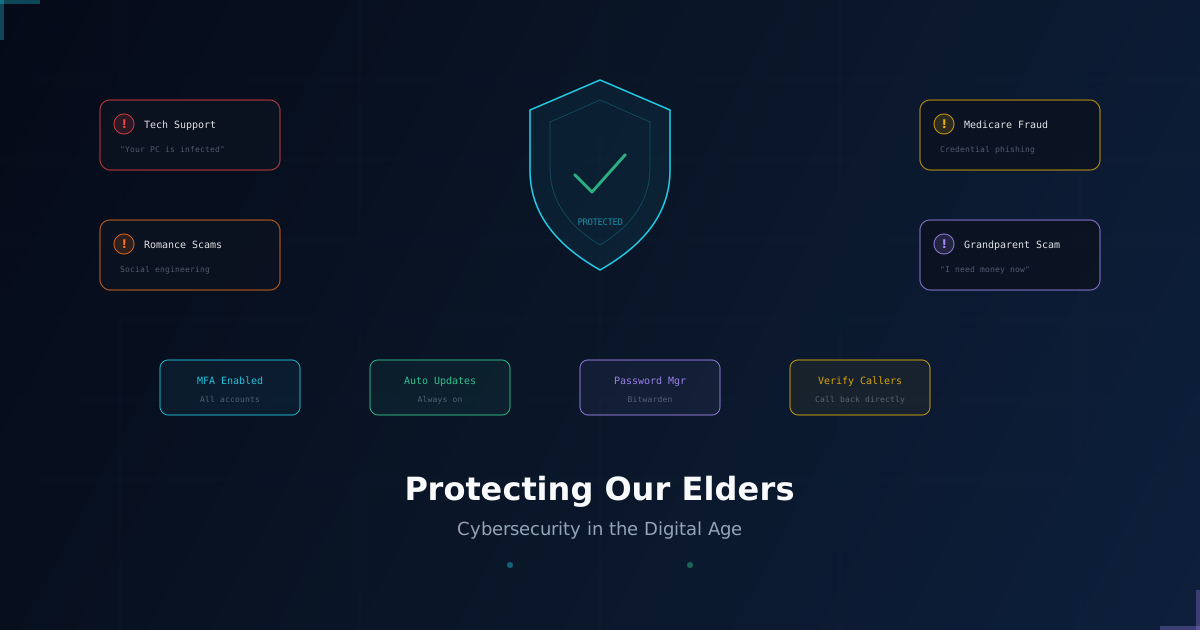
Protecting Our Elders in the Digital Age
Seniors are the most targeted demographic in cybercrime. This guide breaks down the threats they face and the practical steps families can take to keep them safe.

The internet has transformed how we communicate, bank, shop, and access healthcare. For most of us, these are conveniences. For seniors, they can be minefields.
According to the FBI's Internet Crime Complaint Center, adults over 60 lost more than $3.4 billion to cybercrime in 2023 alone, making them the most financially impacted age group. The attacks are not random. They are deliberate, calculated, and designed to exploit trust.
This is not a problem that technology alone can solve. It requires awareness, family involvement, and practical safeguards that meet people where they are.
Why Seniors Are Targeted
Cybercriminals target seniors for specific reasons:
- Financial assets. Retirees often have savings, pensions, and home equity that make them high-value targets.
- Digital unfamiliarity. Many seniors did not grow up with technology and may not recognize the warning signs of a scam.
- Isolation. Seniors who live alone are less likely to have someone nearby to verify a suspicious call or email.
- Politeness and trust. Older adults tend to be more trusting of authority figures and less likely to hang up on a caller or question an official-looking email.
Attackers know this. They build entire campaigns around these dynamics.
The Most Common Threats
Tech Support Scams
A pop-up appears on the screen claiming the computer is infected. A phone number is displayed with urgent language: "Call Microsoft immediately." The victim calls, and a scammer walks them through granting remote access to their machine. From there, the attacker installs monitoring software, steals credentials, or demands payment.
How to protect against this: Legitimate companies will never display unsolicited pop-ups asking you to call them. If you see one, close the browser entirely. If the pop-up won't close, restart the computer.
Grandparent Scams
A caller impersonates a grandchild or a lawyer claiming to represent one. They say there has been an accident, an arrest, or a medical emergency. They ask for immediate payment via gift cards or wire transfer. The emotional urgency is the weapon.
How to protect against this: Always verify by calling the family member directly on a number you already have. Establish a family code word that can be used to confirm identity over the phone.
Medicare and Insurance Fraud
Scammers pose as Medicare representatives and ask for personal information to "update records" or "issue a new card." They use the information to commit medical identity theft, billing for services never rendered.
How to protect against this: Medicare will never call you unsolicited asking for your information. If someone calls claiming to be from Medicare, hang up and call 1-800-MEDICARE directly.
Romance Scams
These are long-term social engineering attacks. Scammers create fake profiles on dating sites or social media, build emotional relationships over weeks or months, and then request money for emergencies, travel, or medical bills.
How to protect against this: Be wary of anyone you have never met in person who asks for money. Reverse image search their profile pictures. Never send money to someone you have only met online.
Phishing Emails and Texts
Messages that appear to come from banks, delivery services, or government agencies contain links to fake login pages. The goal is to harvest credentials or install malware.
How to protect against this: Never click links in unsolicited messages. Go directly to the website by typing the address into the browser. When in doubt, call the organization using the number on the back of your card or on their official website.
Practical Steps for Families
Protecting seniors is not about restricting their access to technology. It is about setting up the right guardrails so they can use it safely.
1. Enable Multi-Factor Authentication (MFA)
Turn on MFA for every account that supports it, especially email, banking, and healthcare portals. Even if credentials are stolen, MFA stops the attacker from logging in.
2. Set Up a Password Manager
Reusing passwords across sites is one of the biggest risk factors. A password manager like Bitwarden generates and stores unique passwords for every account. Walk them through how to use it and make sure they have a strong master password written down in a safe physical location.
3. Enable Automatic Updates
Outdated software is one of the easiest attack vectors. Turn on automatic updates for the operating system, browser, and any applications they use regularly.
4. Establish a Verification Protocol
Create a simple family rule: "If anyone contacts you asking for money or personal information, call me first." Give them a specific person to call and make it clear that it is always okay to pause and verify.
5. Review Privacy Settings Together
Sit down with them and review the privacy settings on their social media accounts. Oversharing personal details like birthdays, addresses, pet names, and family member names gives scammers the raw material they need for targeted attacks.
6. Monitor Financial Accounts
Help them set up transaction alerts on their bank and credit card accounts. Many banks offer notifications for any transaction over a specified amount. Early detection is the difference between a failed attempt and a drained account.
7. Install a Reputable Security Suite
A good endpoint protection platform catches malicious downloads, blocks known phishing domains, and flags suspicious behavior. For seniors, something that runs quietly in the background without requiring manual intervention is ideal.
Warning Signs That Something Has Already Happened
- Unexpected charges on bank or credit card statements
- New accounts or credit inquiries they did not initiate
- Software installed on their computer that they do not recognize
- Friends or family receiving strange messages from their email or social media accounts
- They mention sending money to someone they met online
If you notice any of these, act quickly. Contact the financial institution, change passwords, and consider a credit freeze.
How SaberGuard Helps
At SaberGuard, we believe cybersecurity should be accessible to everyone, not just enterprises with dedicated security teams.
Our Security Awareness Training program includes modules specifically designed for non-technical users and seniors. We cover real-world scenarios, walk through actual scam examples, and teach practical recognition skills.
We also offer family consultation sessions where we help set up secure environments for elderly family members: configuring devices, enabling the right protections, and establishing a communication plan for when something looks suspicious.
Protecting the people we love starts with understanding the threats they face.
If you would like to learn more about our elder security program or schedule a family consultation, reach out to us.
Need help with your security posture?
Let's talk about how SaberGuard can protect your business.
Get in Touch